

 Loading...




Play Classic Solitaire online for free right in your web browser, where you move cards between columns to reveal hidden cards and finish by building four foundation piles from Ace to King. Start a fresh deal instantly by opening Classic Solitaire and focus on smart, calm moves that keep your options open.
Quick answer: Classic Solitaire is a browser card puzzle where you uncover face-down cards and sort each suit into foundations, one careful move at a time.
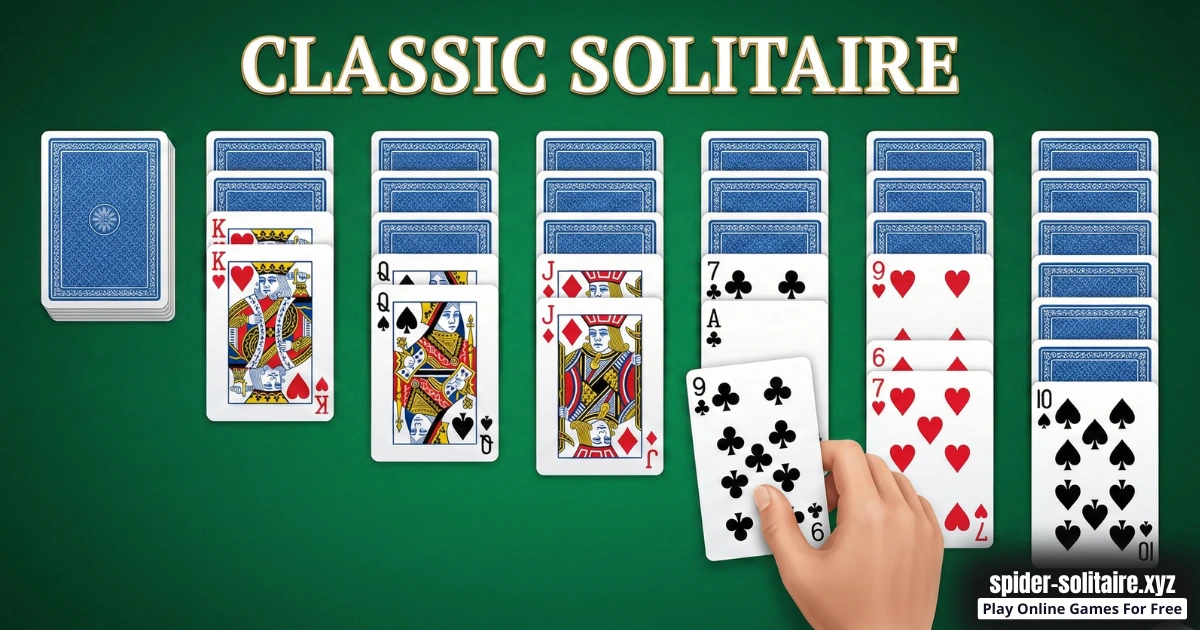
What is Classic Solitaire?
Classic Solitaire is the "one deck, four foundations" solitaire most players recognize. It works perfectly as a browser game because every move is clear and easy to do on-screen. You start with cards arranged in tableau columns, and you build those columns down by rank while alternating colors, like red 7 on black 8 or black 10 on red Jack.
Your big goal is simple: complete four foundation piles, one for each suit, going Ace, 2, 3, all the way up to King. The real puzzle is choosing the order of your moves. Different moves reveal different hidden cards, and the cards you reveal change what is possible next. That is why Classic Solitaire feels relaxing and strategic at the same time.
Some players even search for "spider Solitaire classic game" when they really want a familiar classic solitaire feeling in the browser. If that is you, you are in the right place: this is a calm card puzzle about revealing cards, creating space, and finishing foundations.
Classic Solitaire Gameplay
Each round starts with several tableau columns. Some cards are face up, and others are face down. You can move a face-up card (or a correctly ordered stack) onto another column when the next card is one rank higher and the color is different. Every time you move the top card away, you may uncover a face-down card underneath, and that reveal is the moment you are always hunting for.
Classic Solitaire also includes a draw pile in most versions. When the tableau has no helpful moves, you draw new cards to keep the puzzle moving. Different versions handle the draw a little differently, but the strategy stays the same: use new cards to unlock reveals, not just to make random moves.
Empty columns are your special tool. If you clear a column, you gain a powerful space to park a King (or a King-led stack), reorganize your board, and reach buried cards faster. Many wins happen because you create one good empty column and use it wisely, not because you rush cards to the foundations early.
Main idea: Try to play in a way that reveals new cards, keeps at least one column flexible, and avoids trapping key ranks like Aces and 2s under tall stacks.
Tips: Before you move a card, look at both possible landing spots and choose the one that will reveal a face-down card sooner.
Platform
You can play this game directly in your web browser on desktop, laptop, tablet, or mobile. That means you can jump in anytime without downloads.
How to Play Classic Solitaire
Goal: Reveal hidden cards and complete four foundation piles by placing each suit from Ace to King.
- Scan the tableau for moves that uncover a face-down card when you move them.
- Build columns in descending order while alternating colors (red on black, black on red).
- Move an Ace to a foundation when it appears, then add the same suit in order when it helps your plan.
- Draw new cards from the draw pile when you need more options, and use them to unlock better tableau moves.
- Create an empty column if you can, then use it as a smart holding space to reorganize stacks and reach buried cards.
- Keep repeating: reveal, reorganize, and finish the foundations to win.
A smart way to play is to protect your future moves. If a column becomes too tall and messy, it can trap a card you need. When you are unsure, pick the move that keeps more choices available, especially moves that open a new card, free a column, or create a chain of follow-up moves.
Tips: If two moves are legal, choose the one that keeps the most cards useful in the tableau instead of locking them away too early.
Classic Solitaire Controls
On desktop, you can usually click and drag cards to move them, or click a card to auto-move it when the destination is obvious. On mobile, you can tap and drag cards with your finger, and some versions let you tap a card to send it to a valid spot automatically. Controls may vary slightly by version or device.
Classic Solitaire Tips and Tricks
- Prioritize moves that flip a face-down card, because more visible cards means more choices.
- Do not rush every low card to the foundations. Sometimes you need them in the tableau to build longer stacks.
- Work on the columns with the most face-down cards early. Those columns hide the biggest surprises.
- Try to keep one column "flexible" with fewer cards, so you always have room to shift stacks around.
- Free an empty column as early as you can, because it acts like a super-useful holding spot.
- When choosing between two moves, prefer the one that keeps more cards face up and visible.
- If you can move a single card or a whole stack, choose the option that exposes a new top card.
- Move Kings into empty columns only when you have a clear plan for what the move unlocks next.
- Save "cleanup moves" (moves that change nothing new) for later, after you finish your best reveal moves.
- If your version has Undo or Hint, use them to learn, not to spam. Try to understand why a move works.
Tips: When you free a column, move the stack that helps you flip the most face-down cards next, not the biggest stack.
Classic Solitaire Common Mistakes to Avoid
- Mistake: Moving a card just because it is legal. Fix: Prefer moves that reveal a card, free a column, or clearly unlock a new chain.
- Mistake: Sending cards to the foundation too early. Fix: Keep low cards in the tableau until you are sure they are not needed for building.
- Mistake: Ignoring face-down cards while chasing "pretty" stacks. Fix: Choose moves that reveal hidden cards, because information is power in solitaire.
- Mistake: Using an empty column for a move that does nothing. Fix: Save empty columns for Kings or for reorganizing a blocked area to reach a buried card.
- Mistake: Building one huge column that traps key ranks. Fix: Spread your build so important cards like Aces and 2s can surface.
- Mistake: Forgetting to check the new top card after moving a stack. Fix: Always look at what you revealed and see if it creates an even better move right away.
Tips: If a move does not reveal a card or create space, treat it as a "maybe later" move.
Classic Solitaire Features
- Classic tableau layout that is easy to recognize and learn.
- Clear foundations that show progress suit by suit.
- Quick restarts so you can deal a new round whenever you want.
- Browser play on desktop and mobile, with no install needed.
- Calm, focused gameplay that rewards planning and patience.
- Easy-to-read cards and columns that help you spot moves faster.
- Simple rules with surprising depth once you start planning ahead.
Classic Solitaire Download
Want to enjoy Classic Solitaire more comfortably on your device? Here's how:
For Classic Solitaire on Android
For Classic Solitaire on iOS (iPhone or iPad)


Classic Solitaire Unblocked
You do not need to search "Classic Solitaire unblocked" to play here, because our website is built for easy browser access on most networks. If you are at school or work, always follow the rules and use game time only when it is allowed.
This is a great pick when you want a calm, quiet brain break where every move is on-screen and you can stop anytime.
No need to search for Classic Solitaire unblocked 76, Classic Solitaire unblocked 66, Classic Solitaire Poki, Classic Solitaire Cool Math Games, Classic Solitaire Math Playground, Classic Solitaire Crazy Games, Classic Solitaire Classroom 6x, or Classic Solitaire 2 Player Games.
The updated, fully working version is available right here on Classic Solitaire and you can play for free anytime on most devices and networks.
Classic Solitaire Github
No need to search for a Classic Solitaire Github version, you can play instantly in your browser on our website whenever you want.
Play Classic Solitaire Online for Free
You never have to pay to play Classic Solitaire on our website. Just open the game in your browser and enjoy free play anytime.
Is Classic Solitaire Safe for Kids?
- Yes, it is a card puzzle with no real-world risk, because everything happens on-screen.
- It is a good choice for focus and patience, since you plan moves instead of reacting fast.
- There is no chatting needed to play, which helps keep the experience quiet and simple.
- Short rounds make it easier to take breaks and stop playing when it is time to do something else.
- Parents can help younger kids by naming colors and ranks together.
Parent note: If your child gets frustrated after a tough deal, remind them that some rounds are harder than others, and it is okay to restart and try again.
Why You'll Love Classic Solitaire
- It feels satisfying to flip face-down cards and watch the tableau open up.
- Every round is a new puzzle, so it stays fresh without complicated rules.
- It helps you practice planning, patience, and careful choices.
- You can play at your own pace, fast or slow, depending on your mood.
- Winning feels great when the foundations fill from Ace to King.
Classic Solitaire Details
Requirements
To play this game, all you need is a computer, an internet connection, and a web browser. No downloads are required!
Developer
Developer: GameBoss.
Platform
Web browser (desktop and mobile)
Technology
Built using modern web technology for browser play (exact tech not officially confirmed).
Similar Games to Classic Solitaire
If you're a fan of Solitaire Games, you'll definitely enjoy these too:
- Spider Solitaire
- Scorpion Solitaire
- Klondike Solitaire
- Yukon Solitaire
- FreeCell
- Spider Solitaire
- TriPeaks Solitaire
Solitaire Games
Solitaire games are single-player card puzzles where you solve a shuffled layout by making legal moves until everything is organized. You will often build cards down in order, flip hidden cards, and send cards to foundation piles as the board opens up. Because you can play in a web browser on desktop or mobile, it is easy to start a round anywhere without downloading anything. Explore more favorites in our Solitaire Games collection.
Classic Solitaire Card Games
Classic solitaire card games keep the rules familiar, so you can focus on smart decisions instead of learning new systems. You will usually see tableau columns, alternating-color builds, careful reveals, and foundations that grow from Ace to King. These games work great in a web browser on phones, tablets, and computers, with quick starts and no install needed. Find another easy-to-learn favorite in our Classic Solitaire Card Games section.
FAQ
Is Classic Solitaire free to play?
Yes, Classic Solitaire on this page is free to play in your web browser. You can start a new round anytime without paying.
Do I need to download anything?
No, you do not need to download anything to play. The game runs directly in your browser on most devices.
What is the main goal in Classic Solitaire?
The main goal is to build four foundation piles from Ace to King in each suit. You do that by moving cards in the tableau to reveal hidden cards and create legal stacks.
How do I build cards in the tableau?
You build down by rank while alternating colors. For example, a red 6 can go on a black 7, but it cannot go on a red 7.
When should I move cards to the foundations?
Move cards to the foundations when it does not block useful moves in the tableau. If moving a low card removes a color or rank you still need for building, it can be smarter to wait.
Why are empty columns so important?
An empty column gives you space to move and reorganize stacks. That space helps you reach buried cards and can turn a stuck board into a winning board.
What should I do if I get stuck?
If you get stuck, look for a move that reveals a face-down card or creates an empty column. If no moves exist, drawing new cards (if available) or starting a new deal is a normal part of solitaire.
Can kids play Classic Solitaire?
Yes, kids can play Classic Solitaire because it is a calm on-screen card puzzle. Younger kids may enjoy it more with a parent helping them spot colors and numbers.
Can I play Classic Solitaire at school or work?
Yes, you can play if it is allowed by your school or workplace rules. If it is not allowed, save the game for your break time at home.
Why is the game not loading?
If the game is not loading, refresh the page first. If that does not help, try a different browser or clear cached site data.
Why do the cards feel laggy?
Lag usually happens when your device is busy or your connection is slow. Close extra tabs and background apps, then try again.
Conclusion
Classic Solitaire is a simple browser card puzzle that feels relaxing, but still gives you real strategy choices. When you focus on revealing hidden cards, keeping an empty column ready, and timing your foundation moves, your wins start to stack up faster.
Open the game, take your time, and enjoy the satisfaction of building every suit to the top.
Deal a fresh round of Classic Solitaire now and see how many wins you can collect.